Export
Export to markdown, docx and pdf is only available to ShyEditor Pro subscribers
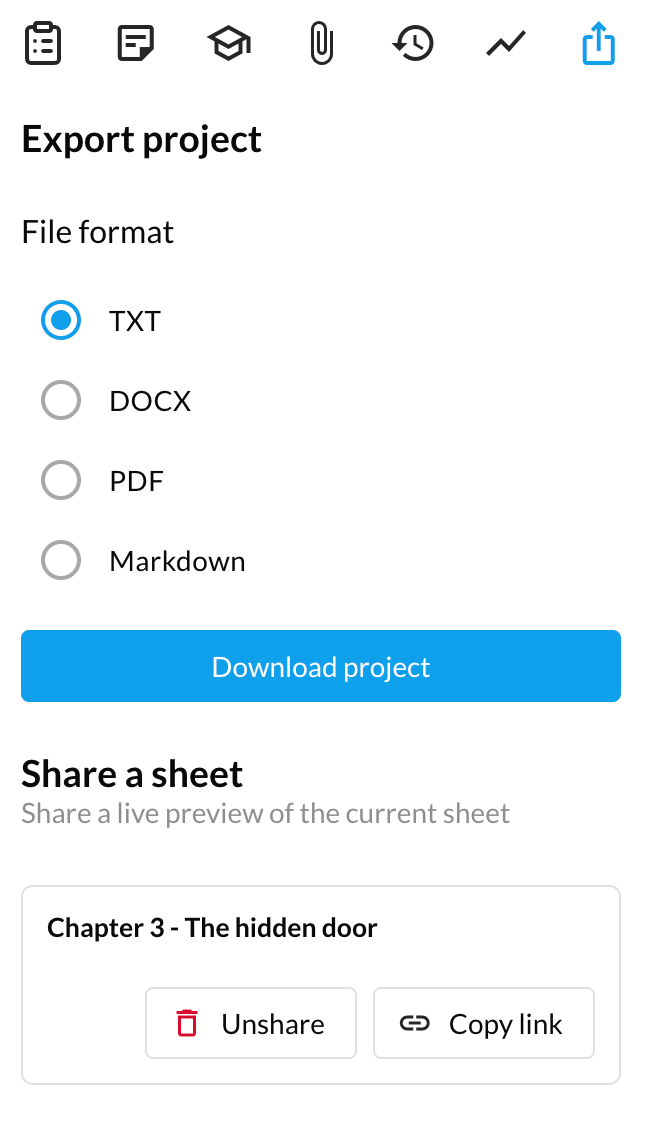
The export tool exports your work for sharing, submission, or publication. You can export into the following formats - txt, docx, pdf and markdown.
Export presets
Pro subscribers can format an export with a single click using one of the built-in presets:
- Default — Calibri, 11pt, single-spaced
- Novel — Times New Roman, 12pt, double-spaced (standard manuscript format)
- APA — title page, running head, references
- MLA — Works Cited
- IEEE — technical paper format
- Harvard — academic referencing
- Chicago — Notes & Bibliography
Export presets approximate the standard formats, but may not match every institution's exact requirements — always check against your submission guidelines.
Advanced customization
Pro subscribers can also customize every aspect of the export. First select which sheets to include using the checkbox tree, then configure the output: font, font size, line spacing, page numbering, title page fields, bibliography toggle, heading sizes, paragraph spacing, first-line and hanging indents, list numbering style, blockquote indent, code block font, drop caps, sheet title display, and maximum image width.
Sharing project sheets
You can share a live preview of your work by clicking the "Share current sheet" button. This will generate a unique link that you can share with others. Anyone with the link can view your work in real time, without having to log in. Sharing is read-only — viewers cannot edit your text. Your account email must be verified before you can share sheets.
When a sheet is shared, it will be visible in the "Shared sheets" section of the project. Click "Copy link" to copy the unique link to your clipboard.
You can un-share your sheets at any time by clicking the "Unshare" button on the sheet that you don't want to be public anymore.