Stats
Get insights into your writing progress with the Stats tool. It provides information on word count, reading time, and writing patterns, giving you a better understanding of your work and productivity.
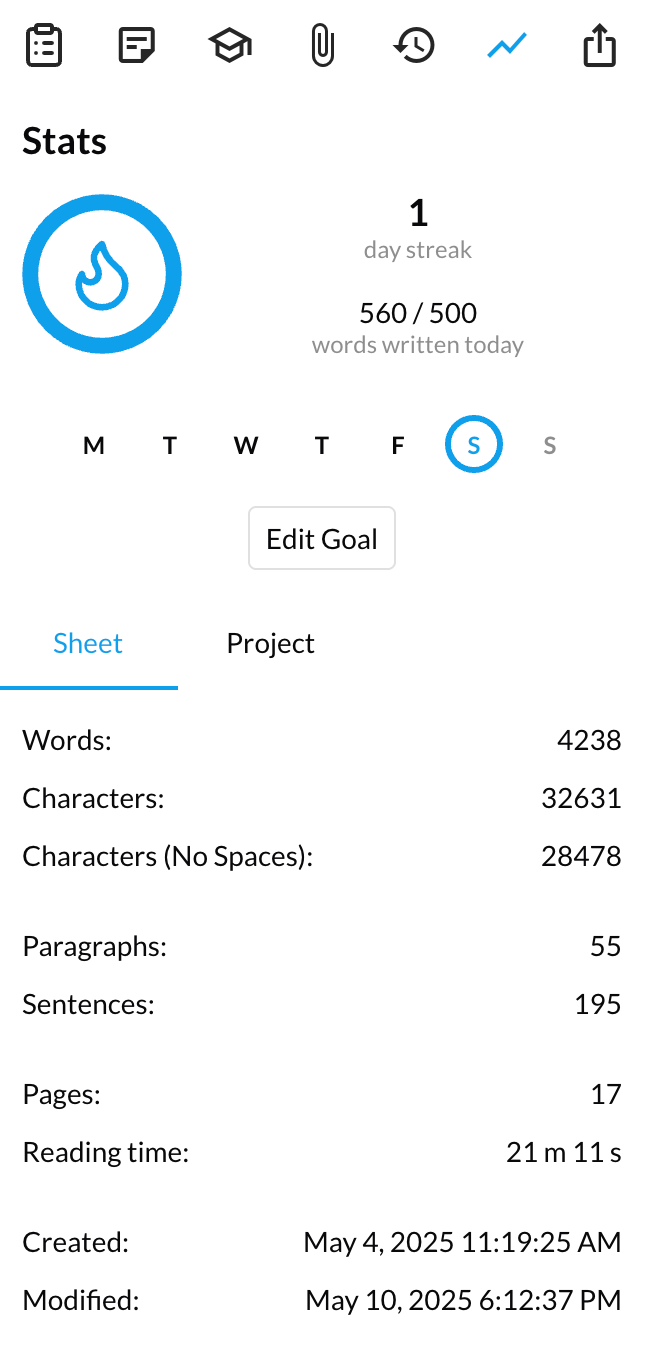
Sheet and project metrics
For the current sheet, the Stats tool shows: words, characters (with and without spaces), paragraphs, sentences, estimated pages, reading time, and the created and modified dates.
For the whole project, you get all of the above aggregated, plus the number of sheets, the average sheet length, and the longest and shortest sheets.
Writing goals and streaks
Writing streaks are a way to track your progress over time. The Stats tool shows a circular progress indicator for today's goal, a 7-day calendar strip with individual progress rings, and a streak counter for consecutive successful days — complete with a flame icon when today's goal is done.
A day is counted as a successful day if you've met your daily writing goal. The goal is set per project: by default it is 500 words (the minimum is 50), and you can change it in the project settings or by clicking "Edit Goal" in the Stats tool.